

Connect yourself
Use this option if you’re also a Microsoft 365 administrator in your organization.1
Open the integration
Go to Integrations and open Microsoft 365.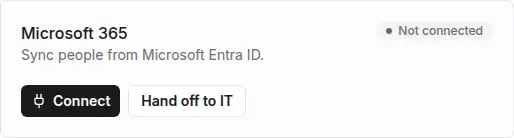
2
Connect
Click Connect. Sign in to Microsoft with an administrator account and accept the permissions.
3
Check the status
When you’re back in Tivero, the status changes to Connected.
Hand off authorization to IT
Use this option if someone else holds Microsoft 365 administrator rights.1
Generate the link
Click Hand off to IT. Optionally enter the IT admin email — we then email the link directly. Click Generate link or Generate and send.
2
Share the link
If you didn’t enter an address, copy the link with Copy link and share it with the administrator. The link expires in 72 hours.
3
The administrator authorizes access
The administrator opens the link, signs in to Microsoft and accepts the permissions. The status in Tivero changes to Needs confirmation.
4
Confirm the organization
Check that this is the right Microsoft 365 organization and click Confirm and activate. If it isn’t your organization, click Reject — the integration is disconnected.