Who: HR, Administrator, Owner. Prerequisites: at least one absence policy, if you want to assign it right away. Adding a person and inviting them are two separate steps. First you create the person’s profile, then you send the invitation when everything is ready.

Add a person

1

Open the dialog

Go to People and click Add person.
2

Step 1: Details & access

Enter the first name, last name and email address. Choose the Collaboration form (Employment contract, B2B collaboration, Mandate contract, Other collaboration form), Team, Supervisor and Access role.
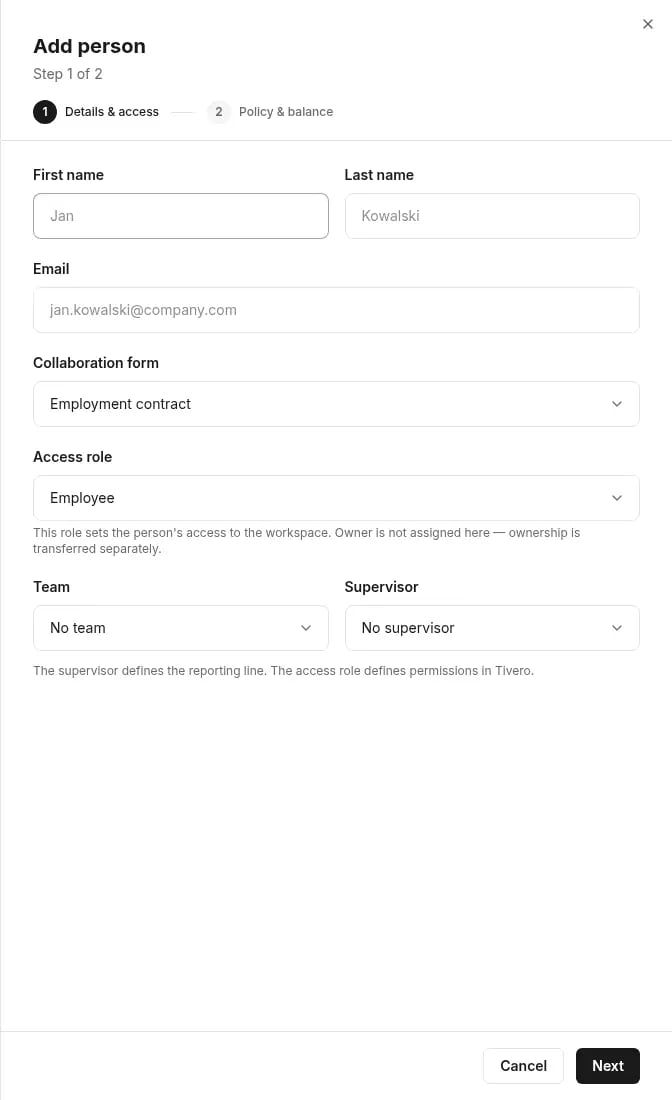
The Add person dialog, step 1 of 2 Details and access: First name, Last name, Email, Collaboration form, Access role, Team and Supervisor fields
3

Step 2: Policy & balance

Choose the Policy. If the policy uses a balance, choose Set balance now and enter the opening balance, or Set balance later.
4

Save

Click Add person. The person appears on the list with the Imported status.
The email address is the account key and can’t be edited later. Check it before you save.
The Supervisor defines the reporting line and, by default, approves the person’s requests. The Access role defines permissions in Tivero. The two are independent.
If you choose Set balance later, the person can’t file balance-deducting requests until the opening balance is set. The People list shows a banner with the number of people who need an opening balance.

Send the invitation

1

Open the person

Click the person on the People list.
2

Invite

Click Send invitation. The status changes to Invited.
3

Wait for acceptance

The person receives an invitation email. Once they accept it and sign in, the status changes to Active and they get the access role you chose.

Seat cost

On a paid plan you pay for active people. If an invitation increases the number of paid seats, Tivero shows This will increase the bill with how much you pay and when. During the free trial you pay nothing. Only the Owner or an Administrator can approve the cost. Details: Subscription and payments.

Person statuses