

Create a team
1
Open Teams
In the Organization menu, click Teams, then Add team.
2
Fill in the details
Enter the Name, choose a Color (used in the calendar) and the Team manager.
3
Choose who approves requests
Under Who approves this team’s requests, pick one of the options (described below).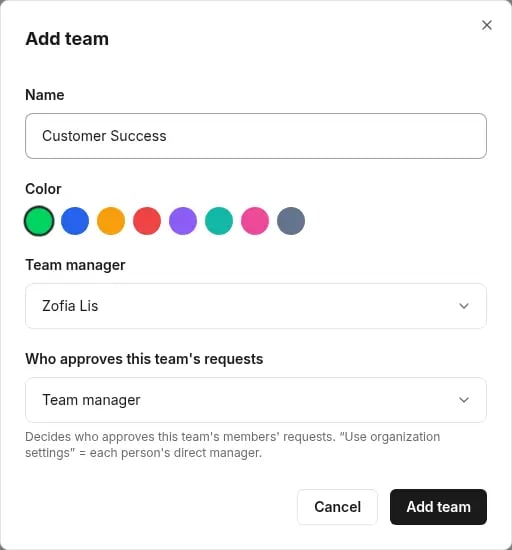
4
Save
Click Add team.
Who approves the team’s requests
You can set a separate approval setup for an individual person on their page. See How approval works.
Assign a person to a team and supervisor
1
Open the person
Go to People and open the person for editing.
2
Choose the team and supervisor
Set the Team and Supervisor fields, then save.
The supervisor defines the reporting line. The access role (for example Manager) defines permissions in Tivero.