

What you do in Tivero
- Check your balance.
- Submit absence requests and follow their status.
- See who on your team is away.
- Manage your details and notification preferences.
First steps
1
Accept the invitation and sign in
Use the email address the invitation was sent to. See the Employee quick start.
2
Check the Dashboard
The My balance card shows how many days are available, used and pending. Next to it you see your nearest absence and Quick actions.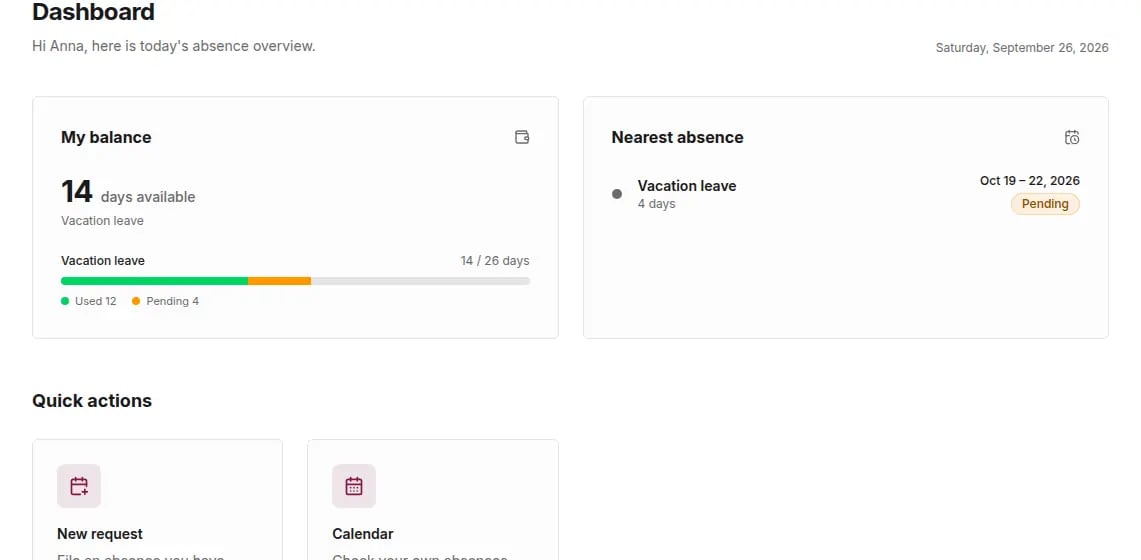
3
Submit your first request
Click New request. See Request an absence.