Who: the person who submitted the request, plus HR, Administrators and the Owner. What you can cancel: requests with the Pending or Approved status. You can’t cancel a declined or already cancelled request.

Cancel a request

1

Open the request

Go to Requests and open the request (your own are on the Mine tab).
2

Cancel

Click Cancel request.
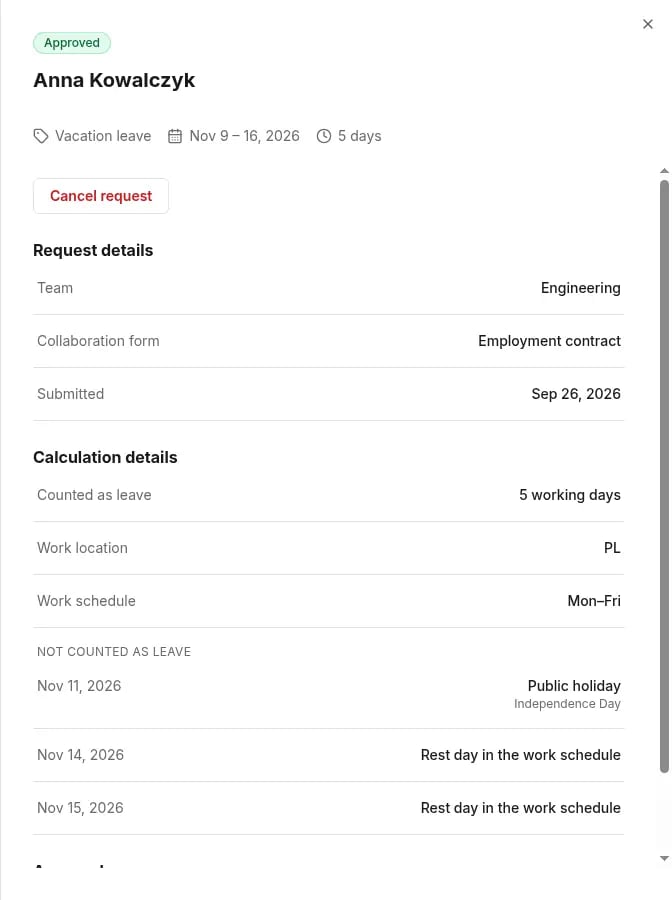
Details of an approved request with the Cancel request button under the header
3

Confirm

Confirm in the Cancel this request? dialog.
You can’t undo a cancellation from this screen. If the absence is still needed, submit a new request.

What happens after cancelling

If your organization syncs calendars with Outlook, the event for the approved request is removed from the calendar. See Outlook calendar.