Who approves a request
Tivero picks the approver in this order:1
The person's individual setting
If a specific approver is named on the person page, under Approval routing, the request goes to them.
2
The team setting
If the person’s team has a setting under Who approves this team’s requests (the team manager or a specific person), the request goes to them.
3
The organization rule
Otherwise, the request goes to the person’s Direct manager.
When the direct manager can’t be used
A person may have no supervisor, or their supervisor may be inactive. In Settings → Approval processes, choose what happens then:
The Backup approver is used when a primary approver can’t be resolved, for example when the manager is inactive.
Nobody approves their own requests
Self-approval is blocked. If the default approver would be the same person, a backup approver is needed.Check the configuration
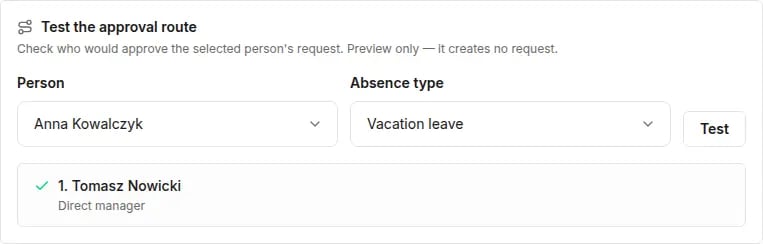
The Approval processes tab shows how many people have a valid approval path and how many need configuration. Click Show problems to see who has a problem and why. Test the approval route checks who would approve a selected person’s request for a selected absence type. Choose the Person and the Absence type, then click Test. It’s a preview only — it creates no request.